
 05 March 2026
 Share
Share
1
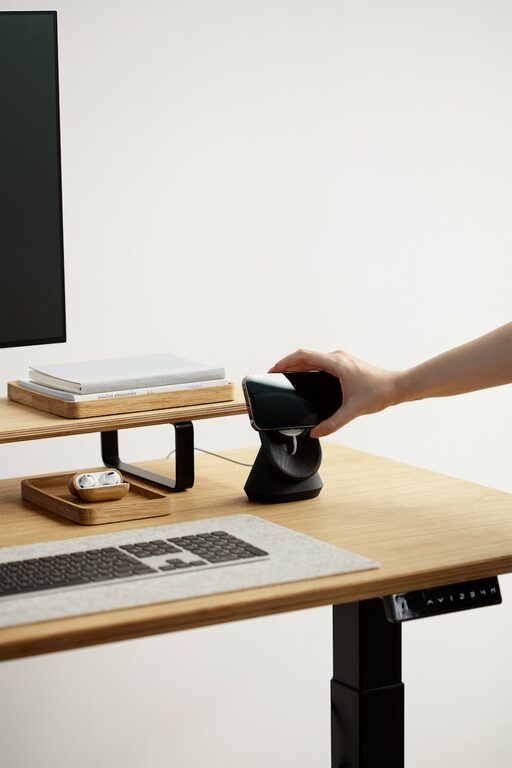
Creating a welcoming and organised home office space is essential for maintaining focus, boosting productivity, and fostering a positive work environment. Whether you work remotely full-time or occasionally need a spot for tasks and projects, a well-designed workspace is a game changer. In this post, we’ll share practical tips and ideas to transform your home office into a comfortable, clutter-free haven that inspires you to do your best work.
Working from home can blur the lines between personal life and work. Having a space dedicated to work that feels inviting yet efficient helps you stay motivated and separate business from leisure. An organised desk reduces distractions, while a welcoming atmosphere makes long hours more enjoyable.
If possible, select a quiet corner or room with minimal foot traffic to set up your home office. This helps reduce interruptions and allows you to concentrate on your tasks.
Position your desk near a window to take advantage of natural light. Good daylight not only reduces eye strain but also positively impacts mood and energy levels.
Ergonomics play a critical role in creating a productive workspace.
– Desk: Choose a desk with enough surface area for your computer, notebooks, and other essentials.
– Chair: Invest in an adjustable office chair that supports good posture and reduces back pain during long work hours.
A cluttered desk can lead to a cluttered mind. Keep your primary workspace tidy by following these tips:
– Limit items: Only keep everyday essentials on your desk.
– Use organisers: Pen holders, file trays and drawer dividers help keep small items orderly.
– Cable management: Use clips or sleeves to keep cables tidy and prevent tangles.
Good storage options maintain an organised space and keep distracting clutter out of sight.
– Shelves and cupboards: Use these for books, files and larger items.
– Filing systems: Labelled folders or boxes make it easy to store and retrieve documents.
– Multi-functional furniture: Consider desks with built-in drawers for extra storage.
Adding personal touches creates a welcoming vibe without compromising professionalism.
– Artwork and photos: Pick a few pieces that inspire or motivate you.
– Plants: Indoor plants clean the air and add a refreshing touch of greenery.
– Lighting: Use a desk lamp with adjustable brightness to complement natural light.
To stay focused, reduce potential distractions:
– Turn off notifications: Silence non-essential alerts on your computer and phone.
– Use noise-cancelling headphones: These can help block out background noise.
– Set boundaries: Let family or housemates know your working hours.
Arrange your workspace to support your workflow.
– Frequently used items: Keep them within easy reach.
– Digital organisation: Use tools and apps to manage tasks and documents.
– Comfort controls: Keep a water bottle nearby, and adjust room temperature for comfort.
A welcoming and organised space requires ongoing attention.
– Daily tidy-up: Spend a few minutes at the end of each day clearing your desk.
– Weekly review: Check your filing system, dispose of unnecessary papers, and dust surfaces.
– Seasonal overhaul: Deep clean your office space and reorganise as needed every few months.
Creating a home office that is both welcoming and well-organised can transform your work-from-home experience. By thoughtfully selecting your space, investing in comfortable furniture, keeping clutter away, and adding personal yet professional touches, you can build an environment that encourages productivity and wellness. Start small, stay consistent, and enjoy the benefits of your ideal workspace every day.
